


ABCmouse Classic
3.727.98K Reviews
App Specs
- Version
- 8.72.0
- Updated On
- License
- Free
- Downloads
- 10,000,000+
- Developer
- Age of Learning, Inc.
- Categories
- Education
- Platform
- Android, iOS
Screenshots


 Analysis by AppCompare
When I want a young child to spend a short stretch of screen time doing something more purposeful than tapping through unrelated games, I look for a routine that is easy to start and gives them a clear next step. ABCmouse Classic is built around that kind of guided learning: children move among early reading, math, art, music, and other activities, while a learning path gives the session some direction. That structure is useful, but it also means the app works best when an adult helps choose the right starting point rather than treating it as a hands-off babysitter.
Who benefits from a guided start
I see the strongest fit for families with children in the early-learning years who enjoy colorful, interactive activities and are still building confidence with letters, stories, and basic math. The app is an education product from Age of Learning, Inc., aimed at ages 2 to 8, and its Everyone rating reflects that broad child-friendly audience. A preschooler who wants to tap, listen, and explore can approach it differently from a child preparing for kindergarten, but both may appreciate having activities gathered in one place.
It is less compelling if your child already prefers a single focused format, such as being read a paper book together, or needs advanced lessons beyond early elementary basics. In those cases, a library book, a teacher-recommended practice resource, or a more specialized learning app may fit better. I would also think twice if you want a completely free experience: the app is free to download, while in-app purchases range from $9.95 to $79.99 per item, so I would check the current purchase choices before making it part of a regular routine.
A practical session, from setup to stopping point
In an everyday scenario, I would use it during a calm after-school window rather than when a child is already tired and impatient. I would start by checking the child profile and learning path, then invite the child to choose between a story, a math activity, or another subject. That small choice gives them a sense of control without turning the whole session into unstructured browsing. I would stay close enough to help if a prompt is confusing, but let the child handle the taps whenever possible.
For a short session, I would pick one activity and let the app’s progression guide what comes next. If the child is engaged, a second activity can make sense; if attention is fading, stopping after a clear accomplishment is better than pushing through just to earn more rewards. This is one of the useful trade-offs in a path-based app: it reduces the effort of deciding what to do, but an adult still needs to judge when the child has had enough.
At the end, I would look at the progress tracker with the child rather than using it only as a report card. A quick conversation about what felt easy or tricky can help decide whether to revisit a topic or try a different one next time. The tracker can inform that choice, but it should not replace a parent’s sense of how the child responded in the moment.
The First Impression
Opening ABCmouse Classic for the first time, I was greeted with a bright, colorful interface. It’s super kid-friendly and easy to navigate, even for those little fingers. The app is designed with kids in mind, offering a wide range of activities from reading and math to art and music. It’s like having a mini classroom on your device.
Worth Reading Before You Choose

EA SPORTS FC Mobile 26 Is a Bigger Football Game, but It Takes Time

Flipboard Shows What News Apps Must Do Beyond the Feed

Switching to Android Auto Means Rethinking Your Driving Routine

Google Calendar Makes a Crowded Week Easier to Manage

Ludo King Makes the Most of the Minutes Between Plans

Baby Panda World Brings Quick Play to Modern Phones, but Its Game Library Feels Busy
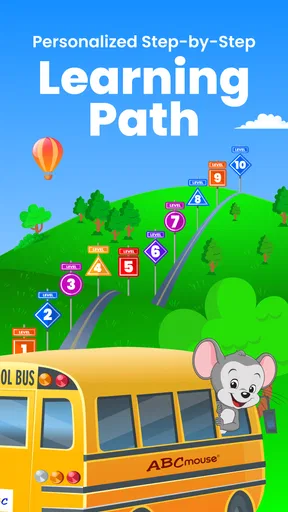
Right from the get-go, the app impresses with its structured learning path. This path helps kids progress through different levels, making sure they’re not just playing around but actually learning something new. It’s a smart approach that keeps kids engaged without overwhelming them.
Interactive Learning
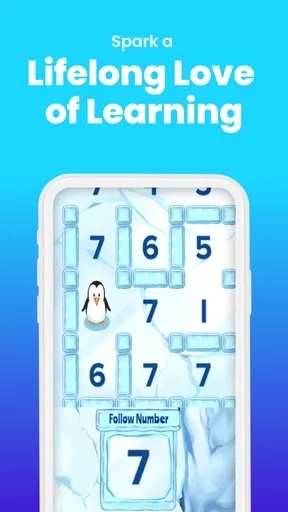
One of the standout features here is the interactive learning activities. I mean, who knew learning could be this fun? The app includes thousands of activities across different subjects. Kids can explore puzzles, games, and even virtual field trips. There’s a little bit of something for every interest.
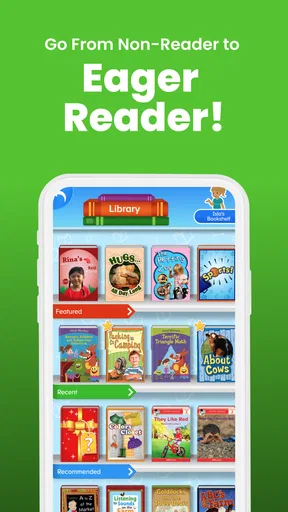
The reading section, in particular, is a favorite. It offers a variety of books for different reading levels and even includes read-aloud options. Perfect for those cozy story times! The math games are equally engaging, turning what can often be a dreaded subject into something exciting.
Motivation and Rewards
Now, let’s talk about motivation. Kids love rewards, and ABCmouse Classic gets this just right. The app uses a ticket system where kids earn tickets for completing activities. These tickets can be used to buy virtual items for their avatars or virtual pets. It’s a clever way to keep them coming back for more.
There’s also a progress tracker for parents, which is a neat addition. It allows you to see how your child is doing and which areas might need a bit more focus. You can even set goals and reward your kids for achieving them, adding another layer of motivation.
Customizable Experience
Every child is unique, and so are their learning needs. ABCmouse gets this right by offering a customizable experience. You can tailor the learning path to suit your child’s age and skill level. It’s a flexible system that grows with your child, ensuring they’re always challenged but never frustrated.
Another nice touch is the ability to create up to three child profiles. This means the app can be used by multiple kids in the family, each with their own learning path and progress tracking. It’s definitely a family-friendly feature.
Engaging Graphics and Sound
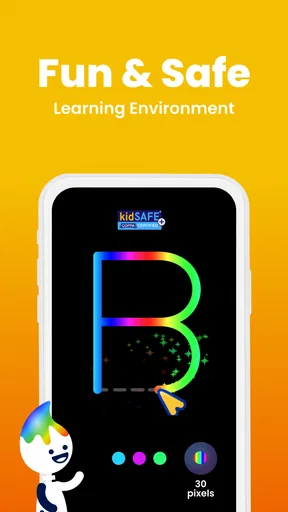
Let’s face it, kids are drawn to bright colors and fun sounds. Thankfully, ABCmouse nails these aspects. The graphics are vibrant and appealing, and the sound effects are just the right level of fun without being overwhelming. It’s a sensory delight that keeps kids engaged without causing sensory overload.
The app’s animations are smooth, making the activities feel seamless. Whether it’s an interactive story or a math game, everything flows nicely, ensuring your child’s attention is held throughout.
Room for Improvement?
Like any app, there are always areas that could use a little tweaking. Some parents might find the subscription fee a bit steep, especially if you’re not using it regularly. However, the sheer amount of content and the app’s educational value can justify the price for many.
Another point to note is that while the app is primarily designed for younger kids, older kids might find it less challenging. It’s ideal for ages 2 to 8, but beyond that, they might need something a bit more advanced.
Where the routine can stumble
The biggest practical weakness is that an appealing reward loop can become the child’s main reason for opening the app. Tickets and virtual items make completion satisfying, but I would occasionally ask what the child learned or enjoyed, not just what they earned. If the answer is always about collecting, I would shorten the session or steer the next one toward a story or activity that invites more discussion.
There is also a difference between a child being able to navigate and a child being ready to learn independently. Young users may tap away from a task, need help understanding an instruction, or want an adult to read alongside them. Read-aloud options can make books more accessible, but shared reading still has a special value: a parent can pause, explain a word, and follow the child’s curiosity in a way a screen activity cannot fully replace.
Families with more than one child can use separate profiles, which helps keep learning paths and progress from getting mixed together. I would still make a habit of checking whose profile is open before a session; a sibling using the wrong one can make the activity feel mismatched and muddy the progress picture. With several children, taking turns to choose an activity is also a simple way to avoid one child’s preferences dominating every session.
How it compares with other learning choices
Compared with free video clips or a collection of standalone games, this app’s main advantage is its organized route through subjects and its parent-facing progress view. Those alternatives can be easier for a child to dip into casually, but they may leave the adult to decide what is educational and what to do next. ABCmouse brings more of that planning into one place, though its rewards and busy presentation may not suit children who prefer quiet, low-stimulation activities.
Compared with books, worksheets, or working directly with a parent, it offers more immediate interaction and variety, but less room for conversation and hands-on practice away from the screen. I would treat it as one part of a learning routine: a story activity can lead into reading a physical book, while a math game can be followed by counting toys or snacks together. That handoff turns screen time into a prompt for real-world practice instead of making the app carry the whole learning job.
There is also a meaningful difference between a broad early-learning app and a tool aimed at one specific challenge. If a child needs sustained help with a particular skill, a focused resource chosen with a teacher may be more useful than sampling activities across several subjects. The breadth here is a strength for variety and routine, not a guarantee that every child will find the exact depth they need in every area.
Making the choice work for your family
The app is currently at version 8.72.0, and its average rating is 3.7 from around 94,000 ratings, with roughly 28,000 written reviews and over 10 million installs. I would read those figures as signs that many families have tried it, not as proof that it will match every child. It is free to install, but the available in-app purchases are a real part of the decision, so I would review them before handing the device over and make sure the child understands that virtual rewards are not the same as permission to buy something.
For a fair trial, I would use a consistent, modest routine and observe three things: whether the child can get into an activity without frustration, whether the content holds attention beyond the reward, and whether the progress view helps me choose what to revisit. If those pieces work, the app can become a useful bridge between independent play and adult-guided learning. If the child resists the format or needs more advanced material, there is no reason to force it simply because the app has a structured path.
Overall, ABCmouse Classic is a solid option for parents looking to enrich their children’s learning experience. It combines education and entertainment effortlessly, making it a go-to app for many families.
Whether you’re prepping your little one for kindergarten or just looking to supplement their school studies, this app is worth considering. So, if you haven’t already, give ABCmouse a spin. It might just become your child’s new favorite way to learn!
Pros
- Engaging educational content for kids.
- Wide range of subjects covered.
- Interactive and fun learning activities.
- Easy navigation for young users.
- Regular updates and new content.
Cons
- Requires a stable internet connection.
- Subscription can be pricey.
- Limited offline access.
- May need parental guidance.
- Some activities may be repetitive.
FAQs for ABCmouse Classic
What age group is ABCmouse Classic suitable for?
ABCmouse Classic is designed for children aged 2 to 8 years old. It provides a comprehensive curriculum that covers reading, math, science, and art tailored to early learners. The app offers age-appropriate content that evolves as your child grows, making it a versatile tool for various developmental stages.
Does ABCmouse Classic require an internet connection?
ABCmouse Classic offers both online and offline modes. While some features and updates require an internet connection, users can download specific activities and lessons for offline use. This functionality is beneficial for uninterrupted learning in areas with limited internet access.
Are there any subscription fees for ABCmouse Classic?
Yes, ABCmouse Classic operates on a subscription model. It offers various plans, including monthly and annual subscriptions. While the app provides a free trial period, continued access to its full range of educational content requires a paid subscription after the trial ends.
Is ABCmouse Classic available on multiple devices?
ABCmouse Classic is available on various platforms, including Android, iOS, and PC. Users can sync their progress across multiple devices, allowing children to continue their learning seamlessly, whether at home or on the go. This cross-platform compatibility enhances flexibility for families.
How does ABCmouse Classic ensure educational quality?
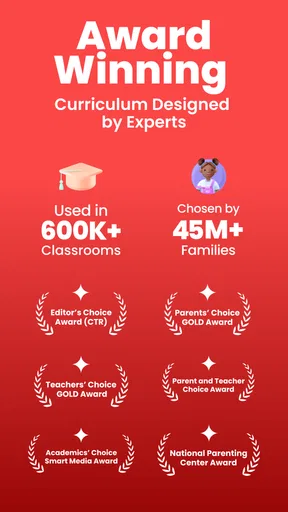
ABCmouse Classic is developed by educational experts and is regularly updated to align with current educational standards. The app provides thousands of learning activities that are designed to engage children while effectively teaching core skills. It also includes progress tracking to help parents monitor their child's learning journey.


